
 Gamespagina
HUS Embroidery File Converter Guide for Beginners
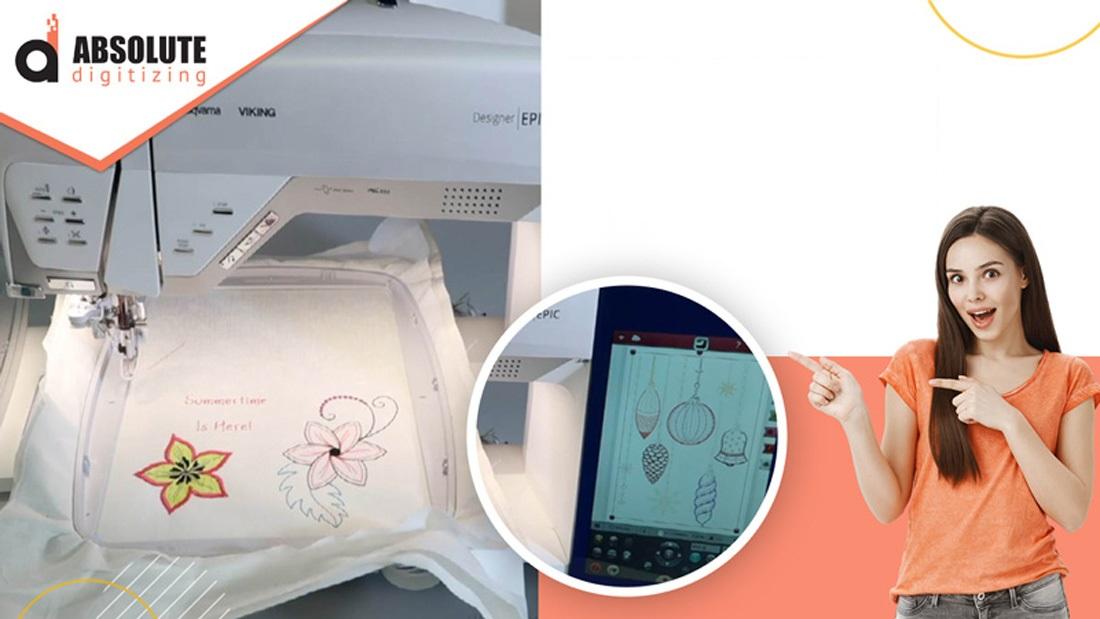
HUS Embroidery File Converter
Introduction
If you’ve ever downloaded an embroidery design only to realize your machine cannot read the file format, you’re definitely not alone. It’s one of the most common frustrations in machine embroidery.
You find the perfect design, transfer it to your machine, and suddenly… nothing works.
That’s where a HUS embroidery file converter becomes incredibly useful.
File conversion tools help embroiderers change embroidery designs from one file format into another so different embroidery machines can read them properly. For anyone working with embroidery digitizing, machine embroidery, or custom designs, understanding file conversion can save a lot of time and stress.
In this guide, we’ll explain what the HUS embroidery format is, how file converters work, and important tips for safe and accurate embroidery file conversion.
What Is a HUS Embroidery File?
A HUS file is an embroidery machine file format commonly used for certain embroidery machines.
Like other embroidery formats, a HUS file contains stitch instructions that tell the embroidery machine:
-
Where to stitch
-
Which direction to move
-
When to change thread colors
-
How the design should be embroidered
Every embroidery machine brand may use different file formats, which is why file conversion becomes necessary.
Why Embroidery File Conversion Is Important
Different Machines Use Different Formats
Not all embroidery machines speak the same “language.”
For example:
-
One machine may use HUS files
-
Another may require DST
-
Another may use PES or EXP
A file converter acts like a translator between embroidery machines and design formats.
Without conversion, many embroidery files simply will not load correctly.
What Does a HUS Embroidery File Converter Do?
A HUS embroidery file converter changes embroidery designs from the HUS format into another compatible embroidery file format, or vice versa.
Common Conversion Purposes
-
Machine compatibility
-
Design editing
-
Sharing embroidery files
-
Preparing files for production
The goal is to make embroidery designs usable across different embroidery systems.
Common File Formats Used in Embroidery
Understanding file formats helps make conversion easier.
Popular Embroidery File Types
HUS
Used for machine embroidery stitch data.
DST
One of the most widely supported commercial embroidery formats.
PES
Popular for home embroidery machines.
EXP
Used in many embroidery workflows and machine systems.
EMB
An editable embroidery design format often used during digitizing.
At Absolute Digitizing, professional embroidery digitizing services help prepare embroidery files for proper machine compatibility and smoother production.
Why File Conversion Can Be Tricky
Not All Formats Store the Same Information
Some embroidery files contain:
-
Stitch data
-
Thread colors
-
Underlay settings
-
Editable design objects
Others only store basic stitch instructions.
During conversion, certain details may not transfer perfectly.
Resizing Problems
Many people try resizing embroidery files after conversion, but this can damage stitch quality.
Common Issues After Poor Conversion
-
Thread breaks
-
Uneven stitching
-
Distorted designs
-
Incorrect stitch density
Embroidery files are more complex than regular image files, so proper handling matters.
Tips for Using a HUS Embroidery File Converter
Keep the Original File
Always save the original embroidery file before converting it.
This allows you to go back if something goes wrong during conversion.
Test the Design Before Production
Never assume a converted file will stitch perfectly immediately.
Always Check
-
Stitch alignment
-
Thread sequence
-
Design size
-
Stitch density
A quick sample run can prevent wasted garments and thread.
Avoid Excessive File Conversions
Repeatedly converting between formats can reduce file accuracy over time.
Think of it like copying a photocopy repeatedly—the quality may slowly degrade.
Use High-Quality Digitized Designs
Poorly digitized embroidery files often become worse after conversion.
At Absolute Digitizing, professionally digitized embroidery files help maintain cleaner stitch quality and smoother format conversion.
Difference Between File Conversion and Digitizing
File Conversion Is Not Digitizing
Many beginners confuse embroidery conversion with embroidery digitizing.
File Conversion
Changes one embroidery format into another.
Digitizing
Creates embroidery stitch files from artwork or logos.
A converter cannot automatically improve poor embroidery quality. It simply changes the file structure.
Common Problems After File Conversion
Missing Thread Colors
Some file formats store color information differently.
After conversion, thread colors may need manual adjustment.
Stitch Distortion
Improper conversion may affect:
-
Satin stitches
-
Fill patterns
-
Underlay structure
This can reduce embroidery quality.
Machine Compatibility Errors
Even after conversion, certain machines may still reject files if settings are incorrect.
Always confirm machine compatibility before production.
How Professional Digitizing Helps File Conversion
Professional embroidery digitizing creates cleaner and more organized embroidery files.
Well-digitized designs usually:
-
Convert more accurately
-
Stitch more smoothly
-
Reduce machine errors
-
Maintain better stitch quality
At Absolute Digitizing, professional embroidery digitizing services help improve file compatibility and embroidery performance across different machine formats.
Best Practices for Embroidery File Management
Organize Your Files
Create folders for:
-
Original artwork
-
Editable files
-
Machine-ready formats
-
Converted versions
Good organization saves time later.
Label File Formats Clearly
Use file names that identify the embroidery format.
Example
-
logo_design.HUS
-
logo_design.DST
-
logo_design.PES
This prevents confusion during production.
Backup Important Designs
Embroidery designs are valuable production assets.
Cloud storage or external drives can help protect important files.
Conclusion
A HUS embroidery file converter is an essential tool for managing embroidery machine compatibility and working with different embroidery systems.
Because embroidery machines often require specific file formats, conversion helps designers and embroiderers use designs across multiple machines and workflows.
However, successful conversion depends heavily on file quality, proper testing, and professional digitizing practices. Converting embroidery files is not just about changing extensions—it’s about preserving stitch quality and machine performance.
With professional embroidery digitizing support from Absolute Digitizing, embroidery file conversion becomes smoother, safer, and more reliable for long-term embroidery production.
FAQs
What is a HUS embroidery file?
A HUS file is an embroidery machine file format that stores stitch instructions for embroidery designs.
What does a HUS embroidery file converter do?
It converts HUS embroidery files into other machine-compatible embroidery formats or converts other formats into HUS.
Can file conversion affect embroidery quality?
Yes. Poor conversion may cause stitch distortion, thread issues, or missing design details.
Is embroidery file conversion the same as digitizing?
No. Conversion changes file formats, while digitizing creates embroidery stitch files from artwork.
Why should I test converted embroidery files?
Testing helps identify stitch errors, thread problems, and compatibility issues before full embroidery production.

 English
 Arabic
 French
 Spanish
 Portuguese
 Deutsch
 Turkish
 Dutch
Dutch
 Italiano
 Russian
 Portuguese (Brazil)
 Greek
Greek